

Search

Geo Fencing

ActronAir Geofencing

Smart Comfort That Knows When You’re Coming and Going

ActronAir Geofencing uses your smartphone’s location to automatically adjust your air-conditioning as you come and go. When you leave the set radius around your home, the system will switch off to save energy. When you return, it will switch on to begin cooling or heating again, so your home is ready for when you arrive.

What is Geofencing?

Geofencing creates an invisible digital boundary around your home. As you cross the boundary, using the GPS in your phone, the system responds automatically. It offers effortless convenience, providing comfort when required and efficiency when not.
Whether you’re driving home from work, out running errands, or heading away for the weekend, Geofencing keeps your comfort in sync with your lifestyle and helps reduce unnecessary energy use.

How It Works

Once enabled in the ActronConnect app, Geofencing links your smartphone with your compatible ActronAir system and NEO controller. When your phone moves beyond your selected boundary, the system shifts to an away mode to minimise energy use. As you head back and cross into the set area again, your air conditioning automatically resumes operation and begins conditioning your home to your chosen settings.

Control It Your Way

Choose how your Geofencing works for you. Set what happens when you arrive – turn the system on, activate Turbo mode, or run your preferred schedule. Heading out? Have it switch off, enable Away mode, or send you a notification if your AC is still on. It’s control, customised around your routine.

Set Up in Minutes

Geofencing works with your ActronAir system and the ActronConnect app. Here’s how to activate it:

  1. Download and open the ActronConnect app.
  2. Sign in to your ActronAir account and make sure your compatible controller is connected
  3. Go to the ‘Geofencing’ menu in the app.
  4. Enable Location Services on your phone if prompted.
  5. Set Your Geofencing Rules to determine the actions you want your system to undertake as you enter or exit the radius
  6. Use the slide to set your Geofence radius
  7. Your ready to go
NEO Connect

Available on the NEO Connect Mobile App

Get the all-in-one ActronConnect app to unlock Geofencing, scheduling, remote control and more.

Compatible Products

Advance
fe327da8a2c785ed58b687c12514fe4d-1
Our most advanced ducted air conditioner
 
 
View Product
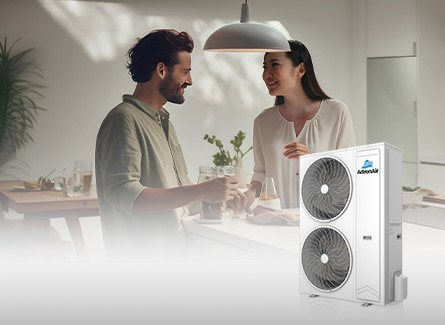
AIRES
ed90bd616856abc99be0a5a186374ba4-1

Energy-efficient ducted air conditioning – for the typical Aussie home.

View Product

NEO & NEO Connect

Control in style

NEO control series is our most advanced integrated home air conditioning control platform yet. NEO’s high quality components, sleek modern design, and easy to use interface brings air conditioning controls into the 21st century.